
In today’s fast-paced digital landscape, accumulating thousands of files, unread emails, photos, downloads, and documents across multiple devices happens automatically. Over time, this buildup of digital clutter makes finding essential information difficult, lowers your daily productivity, and significantly increases mental fatigue. Establishing a well-structured, clean digital environment saves precious time, restores mental focus, and optimizes overall workflow efficiency.
Whether you are a student, corporate professional, freelancer, or business owner, building strong digital organization habits is an essential skill. This guide outlines actionable strategies, helpful software tools, and reliable routines to keep your files neatly organized and your devices permanently clutter-free.
What Is Digital Organization?

Digital organization is the systematic process of arranging your files, folders, email inboxes, photos, applications, and cloud accounts in a logical, intuitive structure. The main objective is to make information instantly retrievable while eliminating unnecessary digital noise.
A well-organized digital environment encompasses:
- Logically categorized, cleanly named folder structures
- Standardized file storage and retrieval rules
- Streamlined email inboxes maintained with active filters
- Centralized, highly secure password management systems
- Automated, routine data backup protocols
- Minimalist, clutter-free desktop environments
- Optimized cloud storage repositories
- Frictionless cross-platform daily workflows
Investing time in digital organization yields immediate gains in peace of mind and personal performance.
Why Digital Organization Matters for Productivity
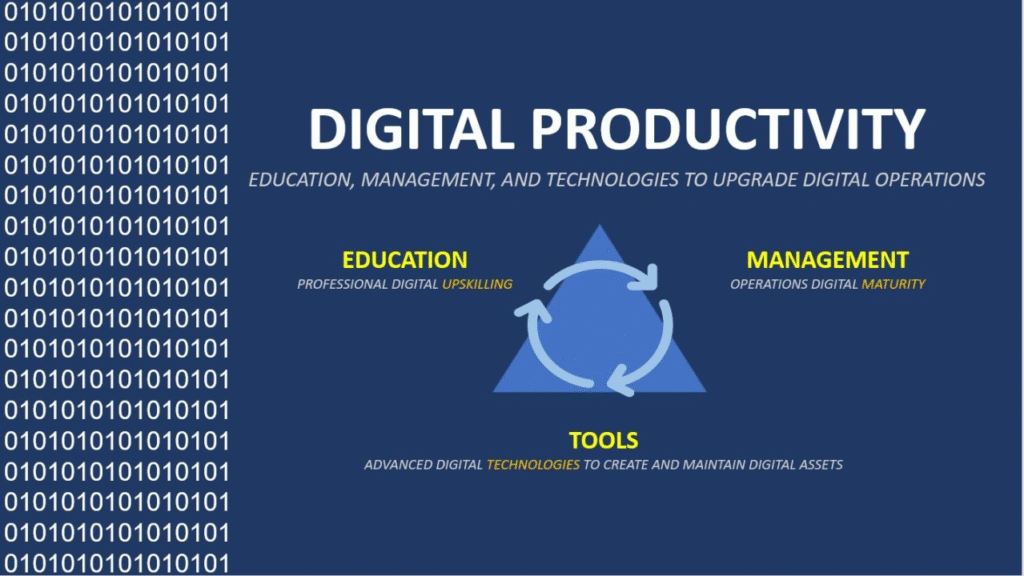
Maintaining a clean digital environment provides far more than visual appeal; it serves as a core engine for your productivity and data security.
Key benefits include:
- Rapid access to critical documents without frustrating search delays
- Sustained daily focus due to reduced visual clutter
- Lower mental stress and fewer workplace distractions
- Enhanced data security and reduced risk of losing files
- Smoother collaboration with colleagues and remote teams
- Reclaimed hard drive space by purging unnecessary data
- Simplified, stress-free system recovery processes
- Improved overall device performance and operational efficiency
Small, intentional daily habits lead to massive long-term time savings.
1. Declutter Your Physical and Cloud Devices

The essential first step toward a organized system is thoroughly purging files and software you no longer use.
Begin your clean-up by:
- Deleting redundant duplicate files and image copies
- Uninstalling unneeded or outdated applications
- Clearing out accumulated temporary downloads
- Permanently emptying system recycling bins and trash cans
- Archiving or deleting expired documents and old notes
- Removing accidental, blurry, or low-quality photos
A streamlined, decluttered device operates noticeably faster and is far easier to navigate.
2. Design a Logical and Intuitive Folder Structure
A standardized, clear folder hierarchy enables you to store and locate any document within seconds.
Consider this straightforward structural template:
- Documents
- Work
- Personal
- Finance
- Education
- Photos
- 2026
- Family
- Travel
- Events
- Projects
- Client A
- Client B
- Marketing
- Design
Avoid creating excessively deep, nested sub-folders, as navigating through too many layers slows down file access.
3. Establish Clear and Descriptive File Naming Conventions
Using precise, descriptive file names instantly tells you what a document contains without needing to open it first.
Effective naming examples:
- Project-Proposal-July-2026.docx
- Monthly-Budget-August-2026.xlsx
- Holiday-Photos-Goa-2026.jpg
Names to strictly avoid:
- Final.docx
- New File.pdf
- Image1.jpg
Adopting standardized date and keyword structures makes system-wide searches vastly more reliable.
4. Tame and Streamline Your Email Inbox
An unmanaged email inbox can quickly become a primary source of daily anxiety and lost communication.
Regain control using these strategies:
- Creating dedicated categories, folders, or color-coded labels
- Archiving completed messages to keep the primary view clear
- Unsubscribing from irrelevant promotional emails and newsletters
- Setting up automated rules and sorting filters
- Deleting unwanted spam and junk mail immediately
- Flagging time-sensitive items that require follow-up action
Aim to use your main inbox strictly for active, pending conversations.
5. Manage Cloud Storage Resources Efficiently
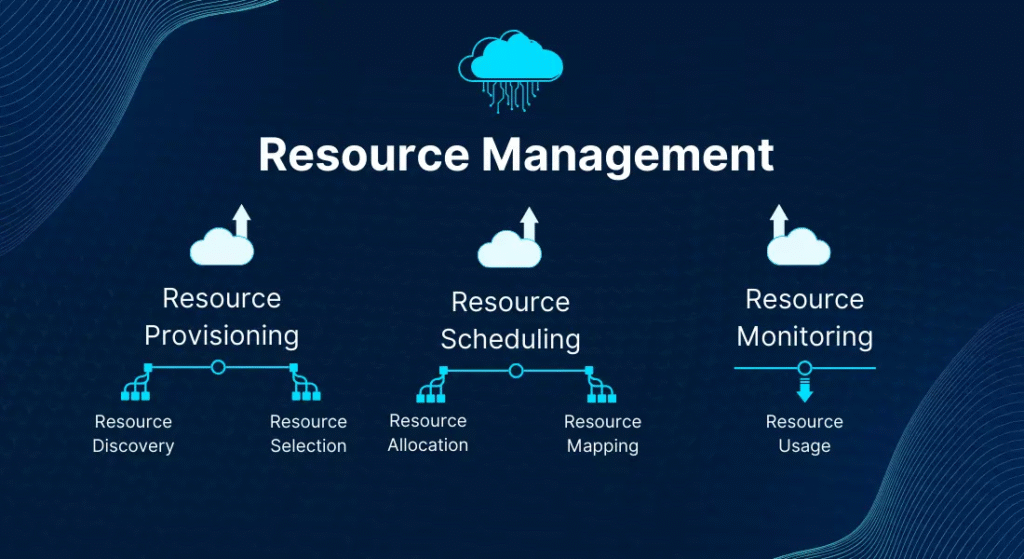
Cloud storage keeps your files accessible anywhere, but without deliberate structure, cloud drives quickly become digital junkyards.
Cloud management best practices:
- Mirroring your local folder structure in the cloud
- Clearing out duplicate cloud uploads periodically
- Sharing specific document links instead of entire folders
- Reviewing active user permissions and public access settings
- Ensuring continuous, automated backup synchronization
A well-maintained cloud environment ensures smooth collaboration across all your devices.
6. Implement a Robust Data Backup System
Unexpected hardware failures, lost devices, or malicious software can instantly destroy years of valuable work and memories if you lack proper backups.
An effective backup strategy incorporates:
- External hard drives or local network storage
- Automated cloud-based continuous backups
- Scheduled, hands-free background backup routines
- Maintaining multiple redundant copies of irreplaceable data
Regularly testing your backups ensures that your valuable photos and documents remain safe under any circumstances.
7. Organize and Consolidate Photo and Video Libraries

Media files consume the vast majority of personal storage space and require careful maintenance.
Keep media libraries manageable by:
- Sorting photos logically by year, month, or specific event
- Regularly deleting duplicate shots and bursts
- Creating dedicated digital albums for major milestones
- Renaming key photo folders with date and location tags
- Backing up original high-resolution files to offsite storage
Routine media maintenance prevents your photo collection from becoming an overwhelming archive.
8. Maintain a Clean, Minimalist Desktop
A cluttered computer desktop acts as a constant visual distraction that fractures your mental focus.
Desktop best practices:
- Keeping shortcuts restricted to a few essential daily apps
- Storing active project files in temporary holding folders
- Clearing away stray files at the end of every working day
- Moving finished work into permanent archive directories
Treat your digital desktop like a physical desk—keep only current tools on the surface.
9. Secure Your Accounts and Personal Data

Digital organization extends to protecting your personal identity, accounts, and private data.
Essential digital security habits:
- Generating complex, unique passwords for every online account
- Enabling multi-factor or two-factor authentication (2FA) universally
- Updating critical account passwords on a regular cycle
- Auditing active third-party app permissions annually
- Logging out of active sessions on shared or public devices
Utilizing a trusted password manager eliminates the need to memorize dozens of login credentials.
10. Build a Sustainable Weekly Maintenance Routine
Maintaining a clutter-free digital workspace requires brief, consistent maintenance rather than massive, exhausting overhauls.
Set aside 15–30 minutes every week to:
- Delete temporary files and clear out the Downloads folder
- File newly created documents into their correct directories
- Process email down to an organized state
- Verify that automatic data backups executed successfully
- Install pending operating system and app software updates
Consistent micro-habits prevent digital clutter from ever taking over again.
Highly Effective Digital Organization Tools
Leveraging the right digital tools automates file management and simplifies your daily personal and professional workflow.
Essential tool categories include:
- Cloud storage platforms for flexible, cross-device access
- Encrypted password managers for safe, automated account logins
- Digital note-taking applications for capturing ideas and meeting records
- Task management tools for organizing projects and daily to-do lists
- Calendar applications for time-blocking and scheduling
- File synchronization utilities for seamless data mirroring
- Document scanning apps for converting paper into searchable PDFs
Select a minimalistic set of tools that naturally fit your working style without overcomplicating your system.
Common Digital Organization Mistakes to Avoid
Steer clear of these common pitfalls that sabotage your productivity and compromise data safety:
- Saving every download directly onto your desktop screen
- Assigning vague, meaningless names like “Document1” or “Untitled”
- Failing to maintain updated offsite backups of critical files
- Allowing thousands of unread promotional emails to stack up
- Neglecting to audit and delete duplicate photo and video files
- Reusing simple, weak passwords across multiple online services
Correcting these simple bad habits instantly improves your digital workflow.
Proven Best Practices for Long-Term Order
Developing simple, automated habits ensures your digital workspace remains permanently organized without constant effort.
Recommended long-term rules:
- File every new document immediately upon creation or download.
- Audit and clear out your Downloads folder every Friday afternoon.
- Keep directory names concise, clear, and universally standardized.
- Archive completed client projects as soon as work wraps up.
- Sync important directories across all your secondary devices.
- Regularly audit and remove apps you no longer actively use.
Consistency in applying simple file habits guarantees long-term digital clarity.
Digital Organization Trends

Digital management continues to transform as smart automation and advanced tools take over tedious manual sorting tasks.
Key modern developments shaping file management:
- AI-driven automatic file categorization and tagging
- Context-aware smart search capabilities across platforms
- Cloud-first personal and enterprise workflows
- Facial and scene recognition for instant photo indexing
- Real-time cross-device data synchronization
- Paperless digital document workflows with built-in OCR
- Biometric and zero-knowledge password protection
- Unified workspace apps bringing notes, tasks, and files together
Embracing these modern organizational innovations allows you to focus on high-value creative work while technology keeps your digital world structured.